Close Menu
  • Home
  • AI & Technology
  • Politics
  • Business
  • Cryptocurrency
  • Sports
  • Finance
  • Fitness
  • Gadgets
  • World
  • Marketing

Subscribe to Updates

Subscribe to our newsletter and never miss our latest news

Subscribe my Newsletter for New Posts & tips Let's stay updated!

What's Hot

XRP Eyes $8.30 Target As Rare Chart Pattern Emerges

April 4, 2026

The Spaceballs sequel will be released in April next year

April 4, 2026

Ethereum Foundation Nears 70,000 Staked ETH Target — Details

April 4, 2026
Facebook X (Twitter) Instagram
  • Home
  • About US
  • Advertise
  • Contact US
  • DMCA
  • Privacy Policy
  • Terms & Conditions
Facebook X (Twitter) Instagram
MNK NewsMNK News
  • Home
  • AI & Technology
  • Politics
  • Business
  • Cryptocurrency
  • Sports
  • Finance
  • Fitness
  • Gadgets
  • World
  • Marketing
MNK NewsMNK News
Home » Google Drive now offers in-browser video editing
Gadgets

Google Drive now offers in-browser video editing

MNK NewsBy MNK NewsAugust 22, 2025No Comments2 Mins Read
Facebook Twitter Pinterest LinkedIn Tumblr Email
Share
Facebook Twitter LinkedIn Pinterest Email


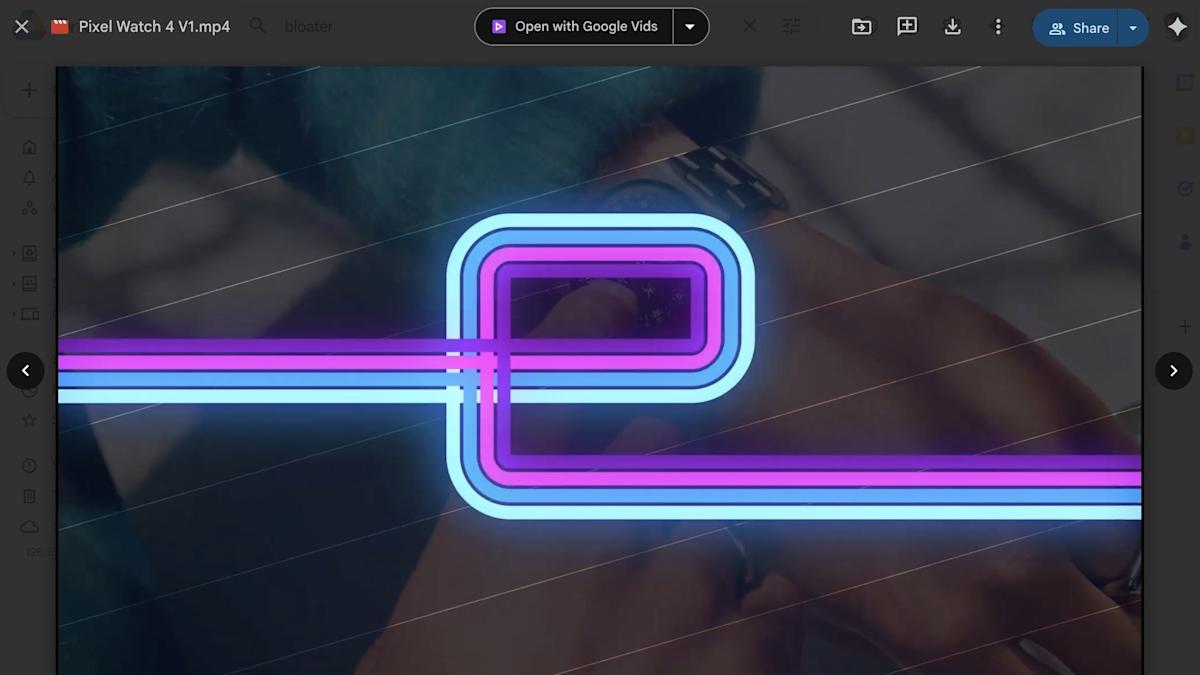
Google is now offering a way to edit videos right in Drive via Google Vids in a compatible browser. Whenever you’re previewing a video in Google Drive, you may see an “Open” button in the top right of the screen. Clicking this opens the clip in Google Vids, where you can trim the video, add text and music and make other changes. Veo is available in the app too.

After you open a file in Vids, a new file is created, and you’ll have to save or export that if need be. Google for Education has a free course detailing how to use Vids.

Google Vids on the web

In general, it seems like a useful way to edit videos that you’ve already uploaded to Drive, but there are some caveats here. For one thing, it’s restricted to paid users, including those on various Workspace business and enterprise plans, nonprofits and those with the Gemini Education or Gemini Education Premium add-ons. Google AI Pro and Ultra users will get access as well. So too will anyone who bought the Gemini Business and Enterprise add-ons before Google discontinued them earlier this year. Vids will be enabled for supported organizations by default unless they’ve opted to block access to Google Docs.

This Google Vids feature works on the latest couple of versions of Chrome, Firefox and Microsoft Edge (Windows only). Compatibility on other browsers may vary. MP4, Quicktime, OGG and WebM videos are supported, with individual clips having limits of 35 minutes of runtime and a file size of 4GB.


Source link

Share. Facebook Twitter Pinterest LinkedIn Tumblr Email
MNK News
  • Website

Related Posts

The Spaceballs sequel will be released in April next year

April 4, 2026

Ursula K. Le Guin’s blog has been turned into a podcast

April 4, 2026

Ireland is testing out a digital wallet that conducts age verification for social media users

April 4, 2026
Add A Comment
Leave A Reply Cancel Reply

Editors Picks

Rs20 million fine for a deleted tweet: The cost of irreverence?

April 4, 2026

City host Liverpool, Arsenal chase treble in FA Cup quarter-finals

April 3, 2026

Italy’s football chief resigns after World Cup disaster

April 2, 2026

James Anderson backs England for Australia revenge despite Ashes woes

April 1, 2026
Our Picks

XRP Eyes $8.30 Target As Rare Chart Pattern Emerges

April 4, 2026

Ethereum Foundation Nears 70,000 Staked ETH Target — Details

April 4, 2026

The Levels To Watch Out For Next Steps

April 4, 2026

Recent Posts

  • XRP Eyes $8.30 Target As Rare Chart Pattern Emerges
  • The Spaceballs sequel will be released in April next year
  • Ethereum Foundation Nears 70,000 Staked ETH Target — Details
  • Ursula K. Le Guin’s blog has been turned into a podcast
  • AI Influencing Elections: Anthropic Forms PAC Leading into Midterms as It Fights Trump Administration

Recent Comments

No comments to show.
MNK News
Facebook X (Twitter) Instagram Pinterest Vimeo YouTube
  • Home
  • About US
  • Advertise
  • Contact US
  • DMCA
  • Privacy Policy
  • Terms & Conditions
© 2026 mnknews. Designed by mnknews.

Type above and press Enter to search. Press Esc to cancel.